TAFCOP DGTelecom Portal: Check Mobile Numbers Linked to Your Aadhaar Online
TAFCOP DGTelecom Portal allows users to check how many mobile numbers are linked to their Aadhaar. Learn how to use tafcop.dgtelecom.gov.in, steps, benefits, and FAQs.
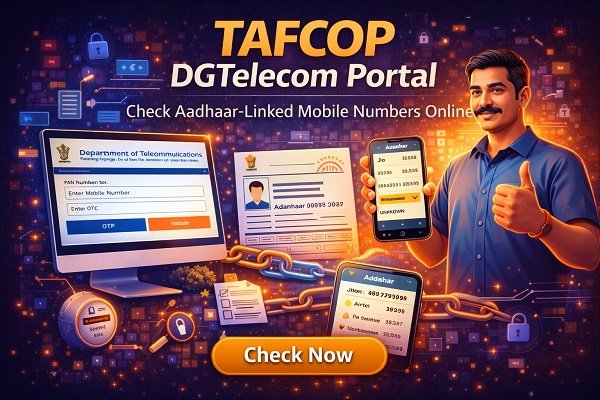
With the rapid growth of mobile users in India, cases of multiple SIM cards being issued on a single Aadhaar number have increased. To protect consumers and prevent misuse of telecom connections, the Department of Telecommunications (DoT) launched the TAFCOP DGTelecom Portal.
The TAFCOP (Telecom Analytics for Fraud Management and Consumer Protection) portal allows citizens to check how many mobile numbers are registered in their name and report any unauthorized or unknown connections.
This article explains everything you need to know about the TAFCOP DGTelecom Portal, including how it works, how to check linked numbers, its benefits, step-by-step usage, and common FAQs.
What is TAFCOP DGTelecom Portal?
TAFCOP DGTelecom Portal is an official online platform developed by the Department of Telecommunications, Government of India. Its main purpose is to help telecom users identify and report mobile connections that are fraudulently or unknowingly registered using their Aadhaar number.
The portal promotes:
-
Consumer protection
-
Fraud prevention
-
Transparency in telecom services
Full Form of TAFCOP
TAFCOP stands for:
Telecom Analytics for Fraud Management and Consumer Protection
This initiative is part of India’s broader effort to strengthen digital security and safeguard Aadhaar-based services.
Why TAFCOP DGTelecom Portal Was Launched?
Many people are unaware that:
-
Multiple SIM cards can be issued using one Aadhaar
-
Unauthorized numbers may be misused for fraud
-
Such misuse can lead to legal or financial trouble
The TAFCOP portal helps citizens:
-
Track Aadhaar-linked SIM cards
-
Identify unknown mobile numbers
-
Take action against unauthorized connections
Who Can Use TAFCOP Portal?
The TAFCOP DGTelecom portal can be used by:
-
Any Indian citizen
-
Mobile users with Aadhaar-linked SIM cards
-
People who suspect misuse of their Aadhaar
There is no fee to use the portal.
Services Available on TAFCOP DGTelecom Portal
The portal offers the following key services:
-
Check number of mobile connections linked to Aadhaar
-
View active mobile numbers registered in your name
-
Report unknown or unauthorized numbers
-
Submit request for disconnection
-
Increase consumer awareness
How to Check Mobile Numbers Linked to Aadhaar on TAFCOP Portal
Follow these simple steps:
Step 1: Visit the Official TAFCOP Portal
Open the official TAFCOP DGTelecom portal in your web browser.
Step 2: Enter Your Mobile Number
Enter the mobile number linked with your Aadhaar.
Step 3: Verify with OTP
You will receive a One-Time Password (OTP) on your mobile.
Enter the OTP to proceed.
Step 4: View Linked Mobile Numbers
After verification, the portal will display:
-
All mobile numbers linked to your Aadhaar
-
Telecom service providers
-
Status of each connection
Step 5: Report Unknown Numbers
If you see any number you do not recognize:
-
Select the number
-
Mark it as “Not Required” or “Unknown”
-
Submit the request
The telecom operator will verify and take necessary action.
What Happens After Reporting a Number?
Once you report an unknown number:
-
The telecom operator reviews the request
-
Identity verification may be initiated
-
Unauthorized SIMs may be disconnected
-
You may receive status updates
This helps protect your identity and telecom usage.
Benefits of TAFCOP DGTelecom Portal
1. Prevents Aadhaar Misuse
Stops unauthorized SIM usage linked to your identity.
2. Enhances Digital Security
Reduces chances of telecom-based fraud.
3. User-Friendly Platform
Simple interface, easy to use even for non-technical users.
4. Free and Accessible
No charges for checking or reporting numbers.
5. Government-Verified System
Operated by the Department of Telecommunications.
Importance of Checking Aadhaar-Linked Mobile Numbers
Regularly checking Aadhaar-linked numbers helps:
-
Avoid legal complications
-
Prevent financial fraud
-
Maintain accurate telecom records
-
Ensure compliance with telecom rules
Common Issues Faced on TAFCOP Portal
Issue 1: OTP Not Received
Solution:
-
Check network connectivity
-
Wait and retry
-
Ensure the entered number is Aadhaar-linked
Issue 2: Website Not Loading
Solution:
-
Try during non-peak hours
-
Use updated browser
-
Clear cache and cookies
Issue 3: Missing Mobile Numbers
Solution:
-
Data sync may take time
-
Contact telecom operator if needed
Is TAFCOP Portal Safe to Use?
Yes, the TAFCOP DGTelecom portal is:
-
Secure
-
Government-authorized
-
Aadhaar-verified
-
OTP-based authentication
Users’ personal information is protected under data security norms.
Difference Between TAFCOP and Other Telecom Portals
| Feature | TAFCOP Portal | Other Portals |
|---|---|---|
| Purpose | Fraud prevention | General services |
| Aadhaar Tracking | Yes | Limited |
| Unauthorized SIM Reporting | Yes | No |
| Government Operated | Yes | Varies |
| Free to Use | Yes | Yes/No |
Role of TAFCOP in Digital India Initiative
TAFCOP supports:
-
Digital identity protection
-
Responsible telecom usage
-
Consumer awareness
-
Transparent governance
It aligns with India’s vision of safe and secure digital services.
Tips for Telecom Users
-
Regularly check Aadhaar-linked SIMs
-
Do not share Aadhaar details unnecessarily
-
Report unknown numbers immediately
-
Use official government portals only
Future Scope of TAFCOP DGTelecom Portal
In the future, the portal may:
-
Cover more telecom services
-
Improve response time
-
Offer multilingual support
-
Integrate with other digital platforms
Conclusion
The TAFCOP DGTelecom Portal is a powerful and essential tool for every mobile user in India. It empowers citizens to take control of their Aadhaar-linked telecom connections, prevent misuse, and ensure digital safety.
By regularly checking the portal and reporting unauthorized numbers, users can protect themselves from fraud and identity misuse. TAFCOP stands as a strong example of how technology and governance can work together for consumer protection.
Disclaimer
This article is for informational purposes only. For official actions or disputes, always rely on instructions provided by the Department of Telecommunications or your telecom service provider.
What's Your Reaction?